Dev License: This installation of WHMCS is running under a Development License and is not authorized to be used for production use. Please report any cases of abuse to abuse@whmcs.com

How To Enable Registrar Lock

To enable the registrar lock for the domain names, please follow the steps below:


  1. Login to the client area
  2. Click on the Domains tab to display the domain names
  3. Select the domain that you want to enable the lock for and click the spanner on the right hand side

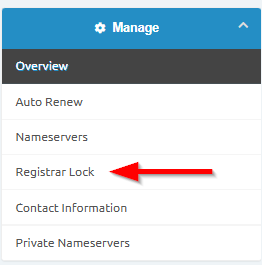
       Click on the Registrar Lock link on the left hand side
 

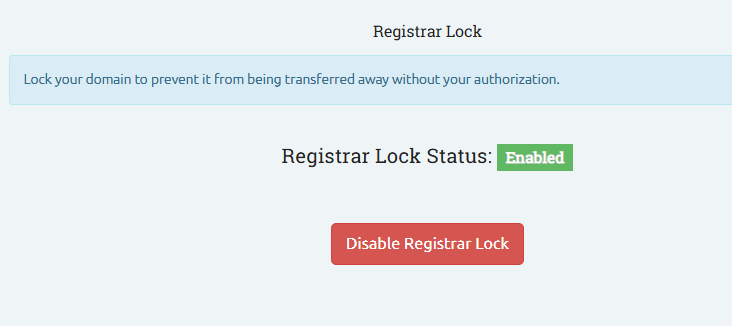
       You can then lock or unlock the domain name
 

  • Lock, Registrar Lock
  • 0 Korisnici koji smatraju članak korisnim
Je li Vam ovaj odgovor pomogao?

Vezani članci

How to view your Account Statement

How to view your Account Statements   Login to the the Client Area...

How to Update Domain Contact Information

How to Update Domain Contact Information To update your domain contact information, you’d need...

How to upgrade / downgrade your hosting package

How to upgrade / downgrade your hosting package The steps below will assist with upgrading/...

Domain Renewal

Domain renewal A domain is valid for a year at a time and you will be notified when it is time...

How to create/add an email address via the client portal

How to create/add an email address via the client portal   Navigate to the client area Login...

Powered by WHMCompleteSolution