Dev License: This installation of WHMCS is running under a Development License and is not authorized to be used for production use. Please report any cases of abuse to abuse@whmcs.com

How To Enable Registrar Lock

To enable the registrar lock for the domain names, please follow the steps below:


  1. Login to the client area
  2. Click on the Domains tab to display the domain names
  3. Select the domain that you want to enable the lock for and click the spanner on the right hand side

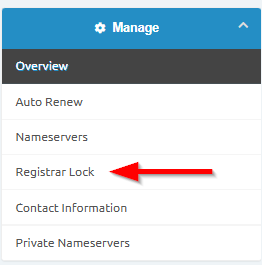
       Click on the Registrar Lock link on the left hand side
 

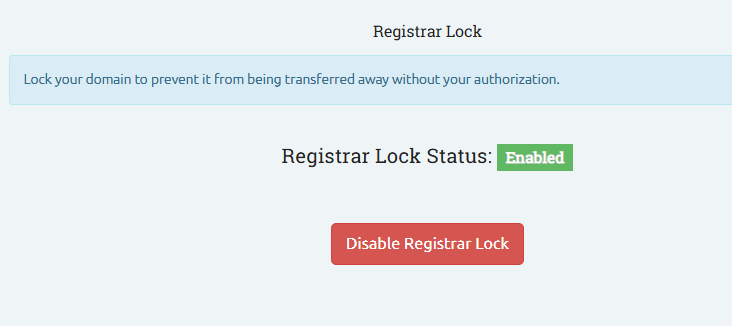
       You can then lock or unlock the domain name
 

  • Lock, Registrar Lock

Hai trovato utile questa risposta?

0 Utenti hanno trovato utile questa risposta

Powered by WHMCompleteSolution