Adding a website/domain Redirect (cPanel)
A redirect will only work if your domain is pointing to our web server. If a domain is not pointing to our name servers, then the redirect will not work and will have to be redirect at that host.
To enable this option, log in to cPanel and click the “Redirects” icon.
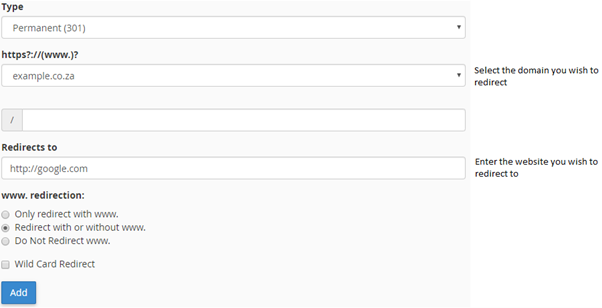
Leave the other settings as they are, unless you know why you want to change them.
Click the “Add button”.
If the redirect does not work immediately, it would mean that your DNS record is pointing your domain to a different web server, your name servers are incorrect, you’re logged into the incorrect control panel, etc